This tutorial demonstrates how to Delete a Step in Course Builder.
1. This video demonstrates how to delete a Step in Course Builder
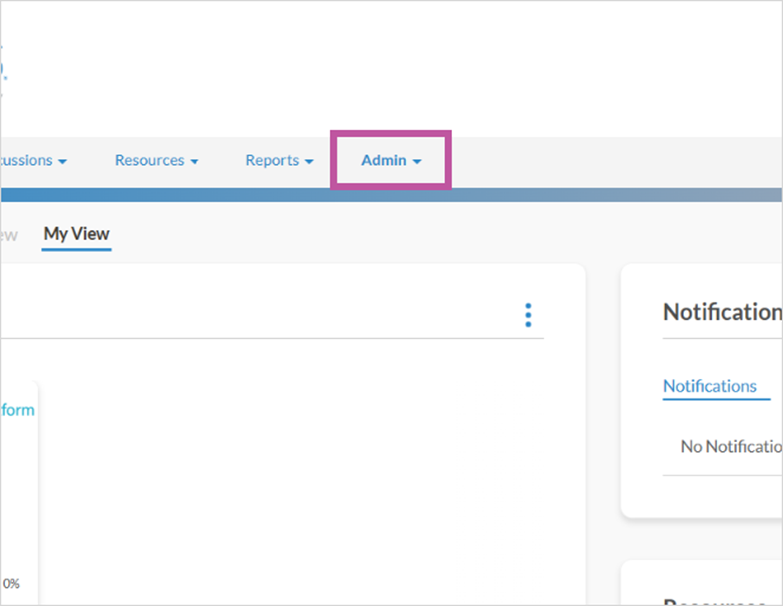
The first step is to open your LMS Site and click Admin

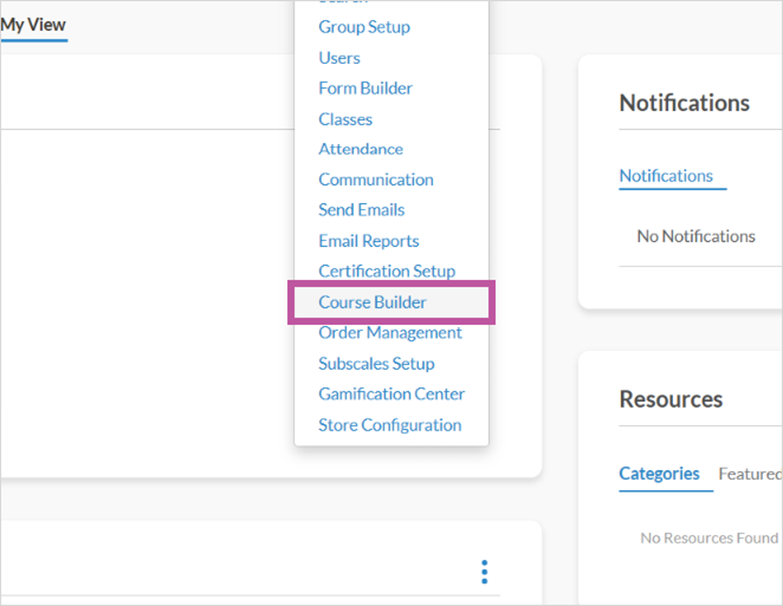
2. Click Course Builder

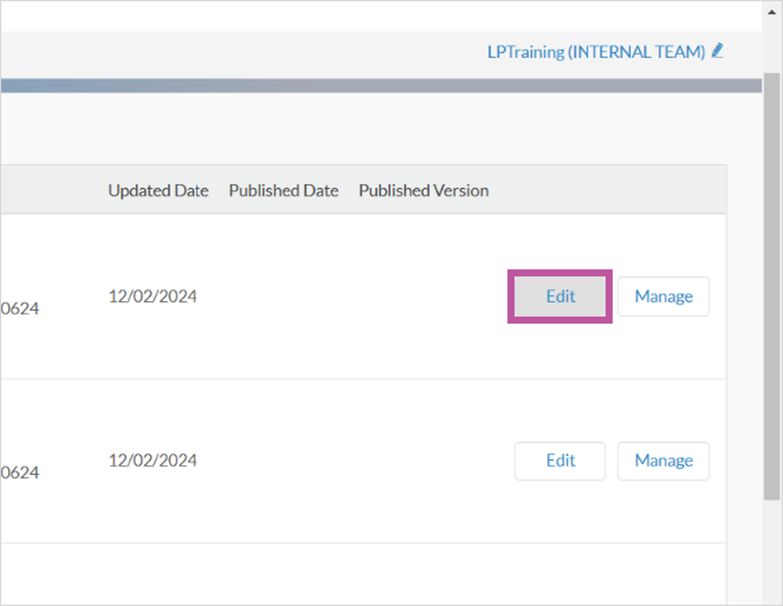
3. Find course and click Edit

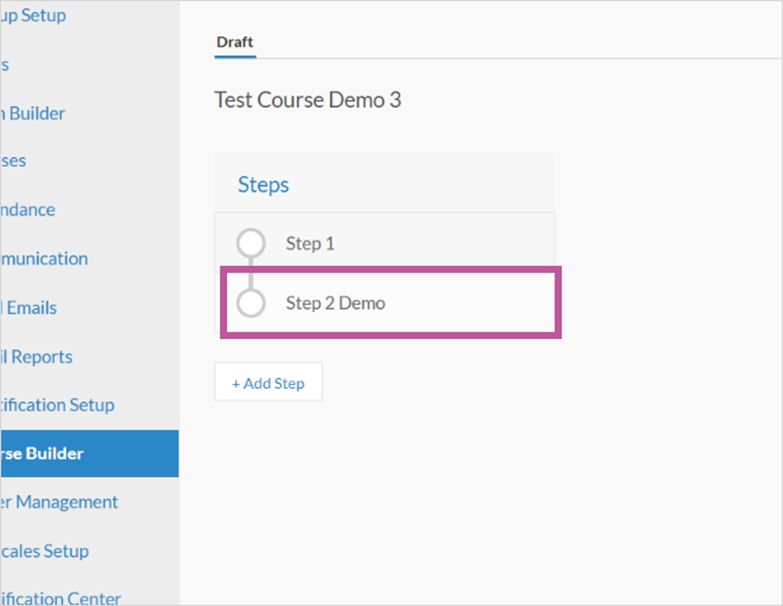
4. Scroll and click Step to be deleted

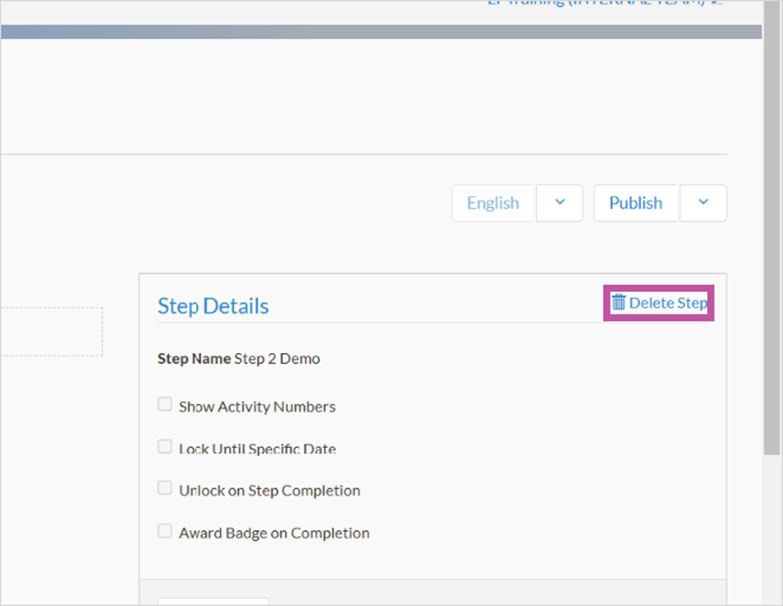
5. Click Delete Step

6. That's it. You're done.

Here's an interactive tutorial
** Best experienced in Full Screen (click the icon in the top right corner before you begin) **
https://www.iorad.com/player/2480849/How-to-Delete-a-Step-in-Course-Builder?iframeHash=trysteps-1
1. This video demonstrates how to delete a Step in Course Builder
The first step is to open your LMS Site and click Admin
2. Click Course Builder
3. Find course and click Edit
4. Scroll and click Step to be deleted
5. Click Delete Step
6. That's it. You're done.
Here's an interactive tutorial
** Best experienced in Full Screen (click the icon in the top right corner before you begin) **
https://www.iorad.com/player/2480849/How-to-Delete-a-Step-in-Course-Builder?iframeHash=trysteps-1
Click on the highlighted boxes or use the arrows to navigate.
Written Guide
Step 1: Open your LMS Site and click Admin
Step 2: Click Course Builder
Step 3: Find course and click Edit
Step 4: Scroll and click Step to be deleted
Step 5: Click Delete Step